How it works
One week, two points of view.
Players and organisers see the same session from different sides. Here’s what each of them does.
If you play
About thirty seconds a week.
- 1
Get the nudge
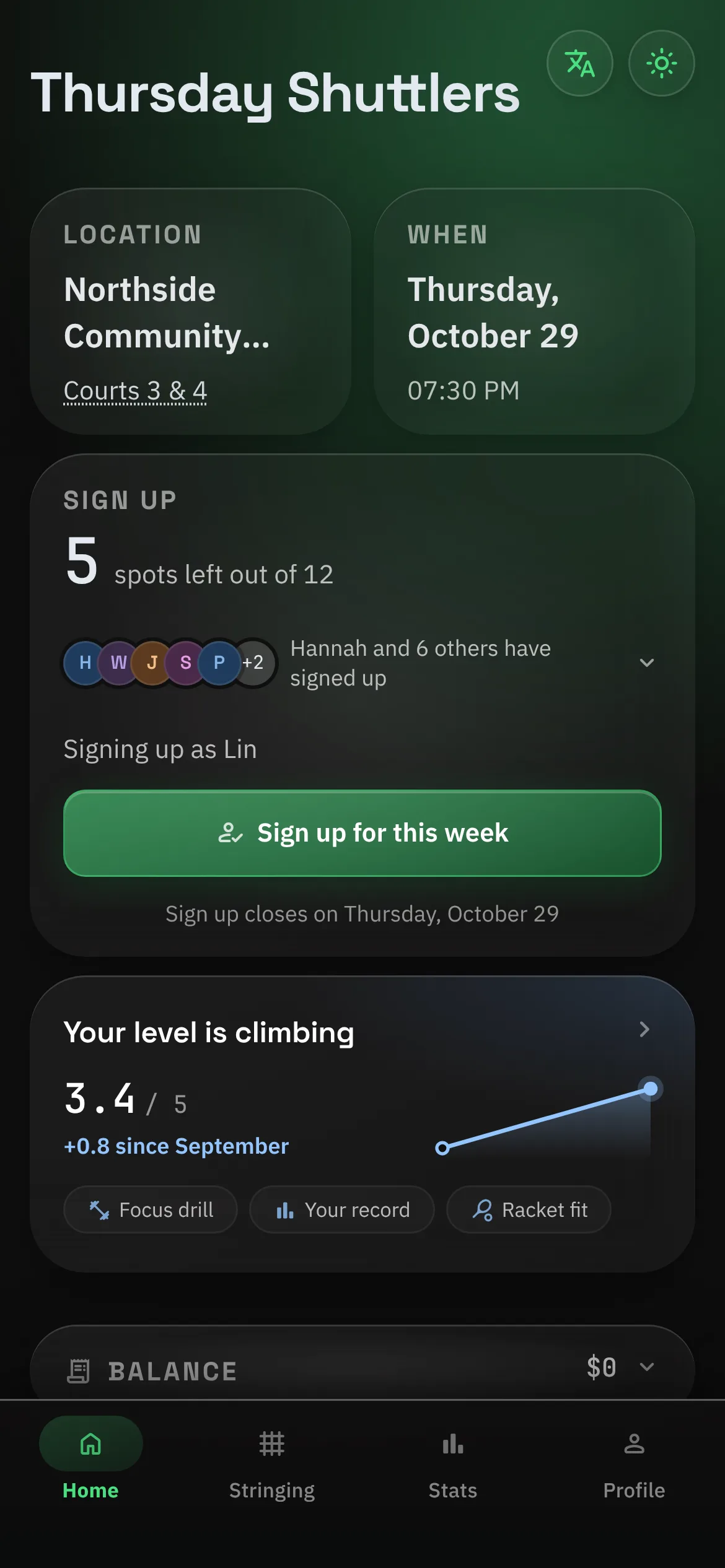
Sign-ups are open. The Home screen shows when, where and the cost per person.
- 2
Tap Join
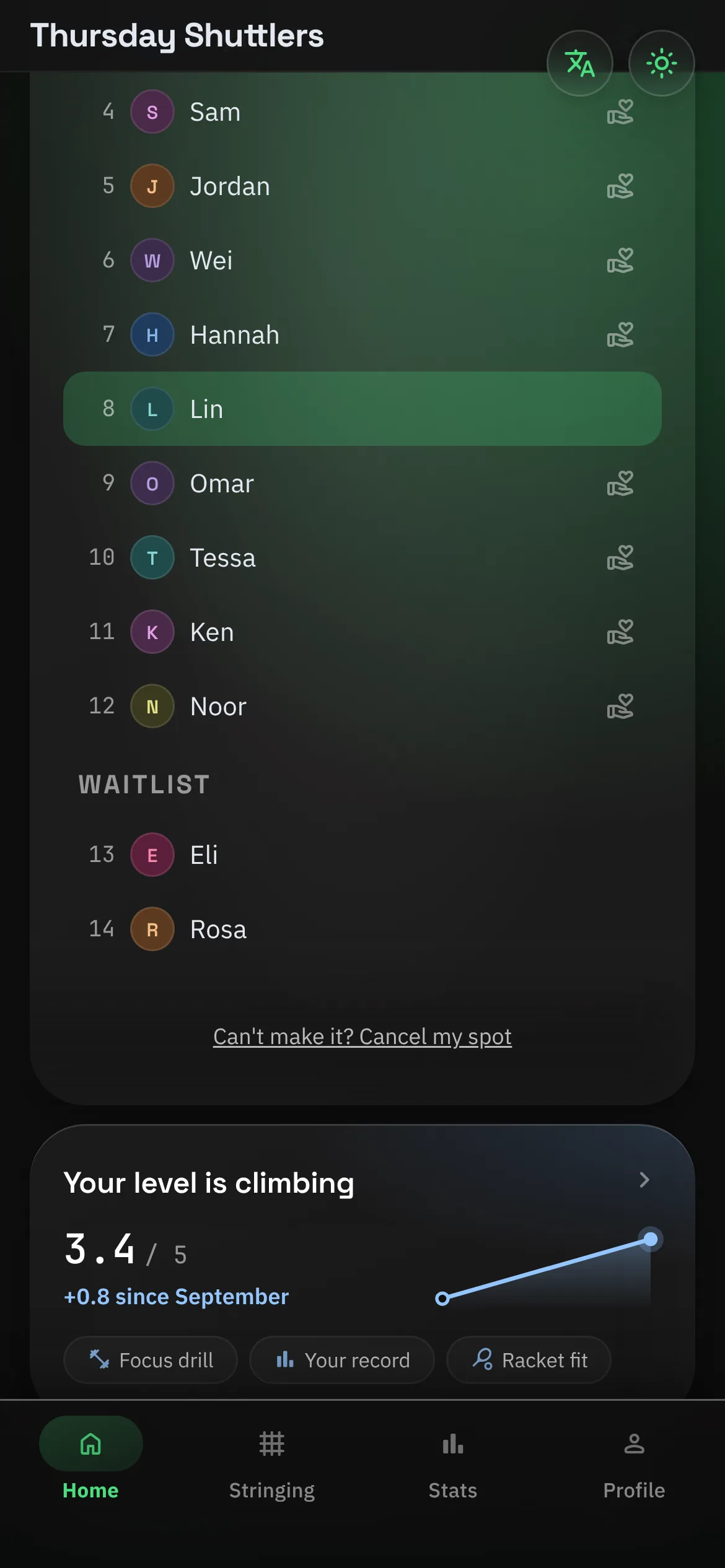
You get a numbered spot, or a place on the waitlist if it’s full. Both are visible to everyone.
- 3
Plans change?
Cancel your own spot. If your club has a late-cancel window, you’ll see a heads-up first.
- 4
After the game
Your share shows up on Home. Pay the organiser the usual way and tap “I’ve sent it”.
- 5
Between sessions
Log a game, give someone kudos, try the week’s drill, or ask for a restring.
If you organise
The weekly job, step by step.
- 1
Set the session
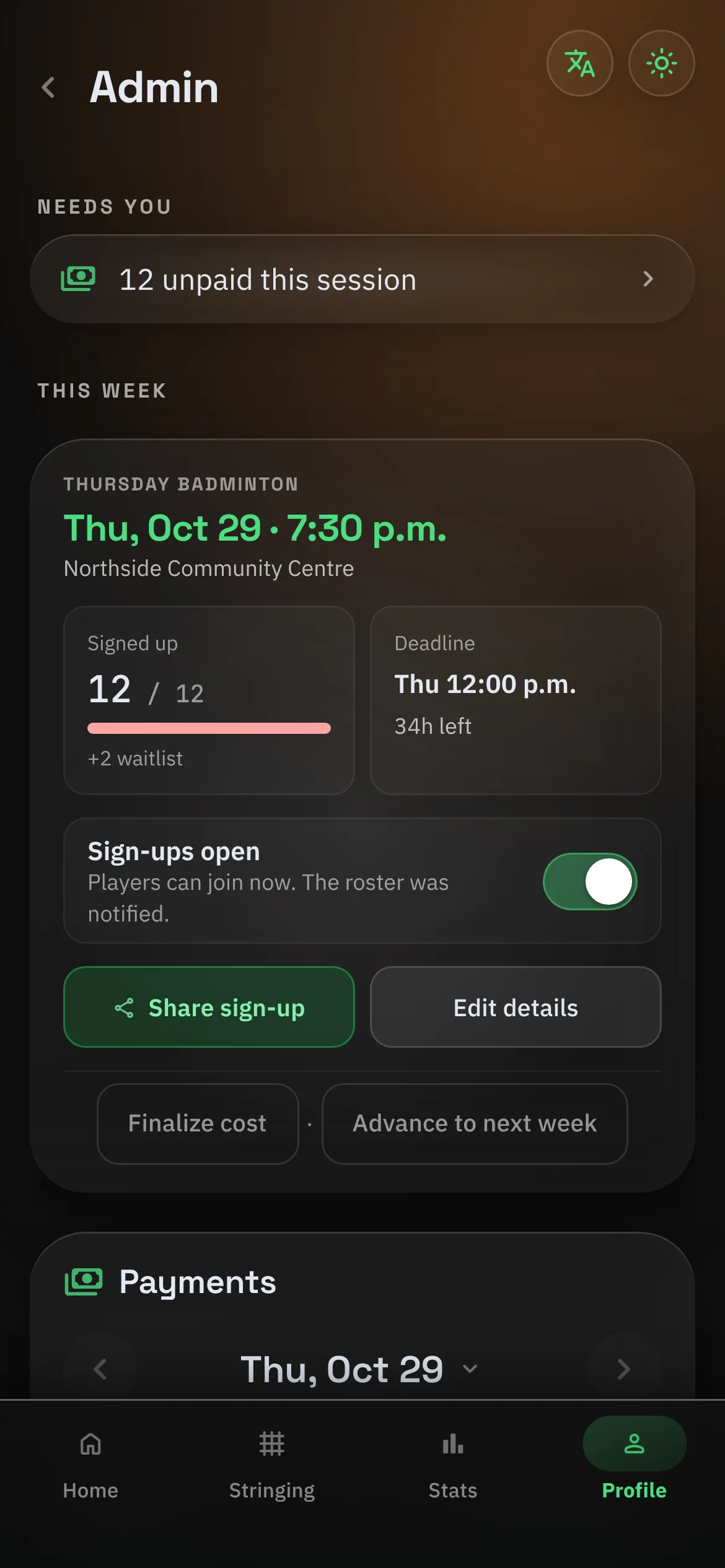
Venue, time, capacity and the sign-up deadline. Write the week’s announcement.
- 2
Open sign-ups
Players who turned on notifications get a nudge. Watch the roster fill and the waitlist form.
- 3
Manage the night
Promote from the waitlist, cover someone, log how many tubes of shuttles you used.
- 4
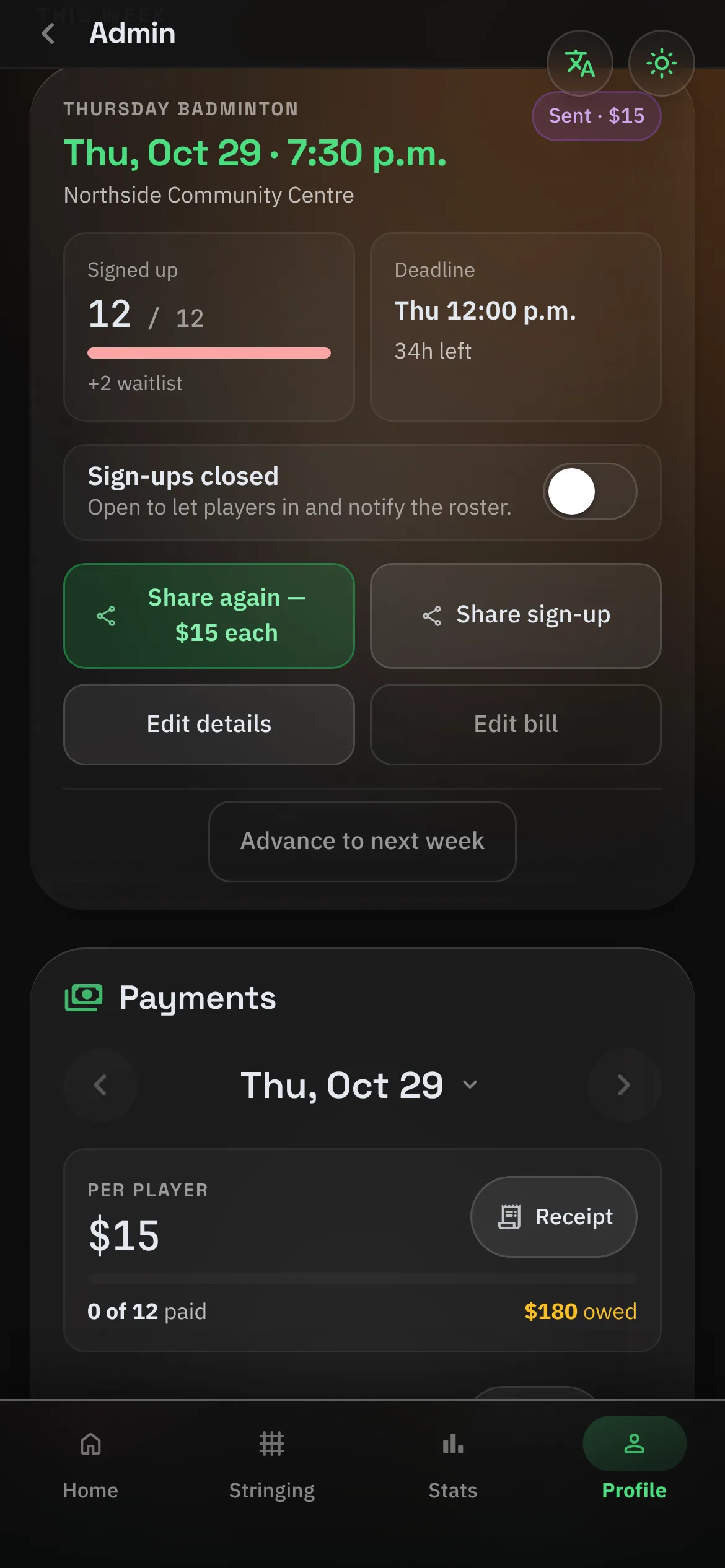
Send the bill
The court and shuttle cost is split across whoever played. Everyone sees their share.
- 5
Close the week
Mark who’s paid, check the ledger, and move on to next week.
Get your group on the court.
Free, on iPhone, Android and the web. The beta is open now.